Guide
How to Open Multiple Terminal Windows at Once
The direct way to open multiple terminal windows at once is VS Code's own New Window command: ⌘⇧N (macOS) or Ctrl+Shift+N (Windows/Linux) opens another fully independent window. Add workspace folders and a PaneCrew grid to it, and each window carries its own layout, folders, and terminals — restored automatically by PaneCrew's session persistence, no window-manager scripting, no re-arranging after every restart.
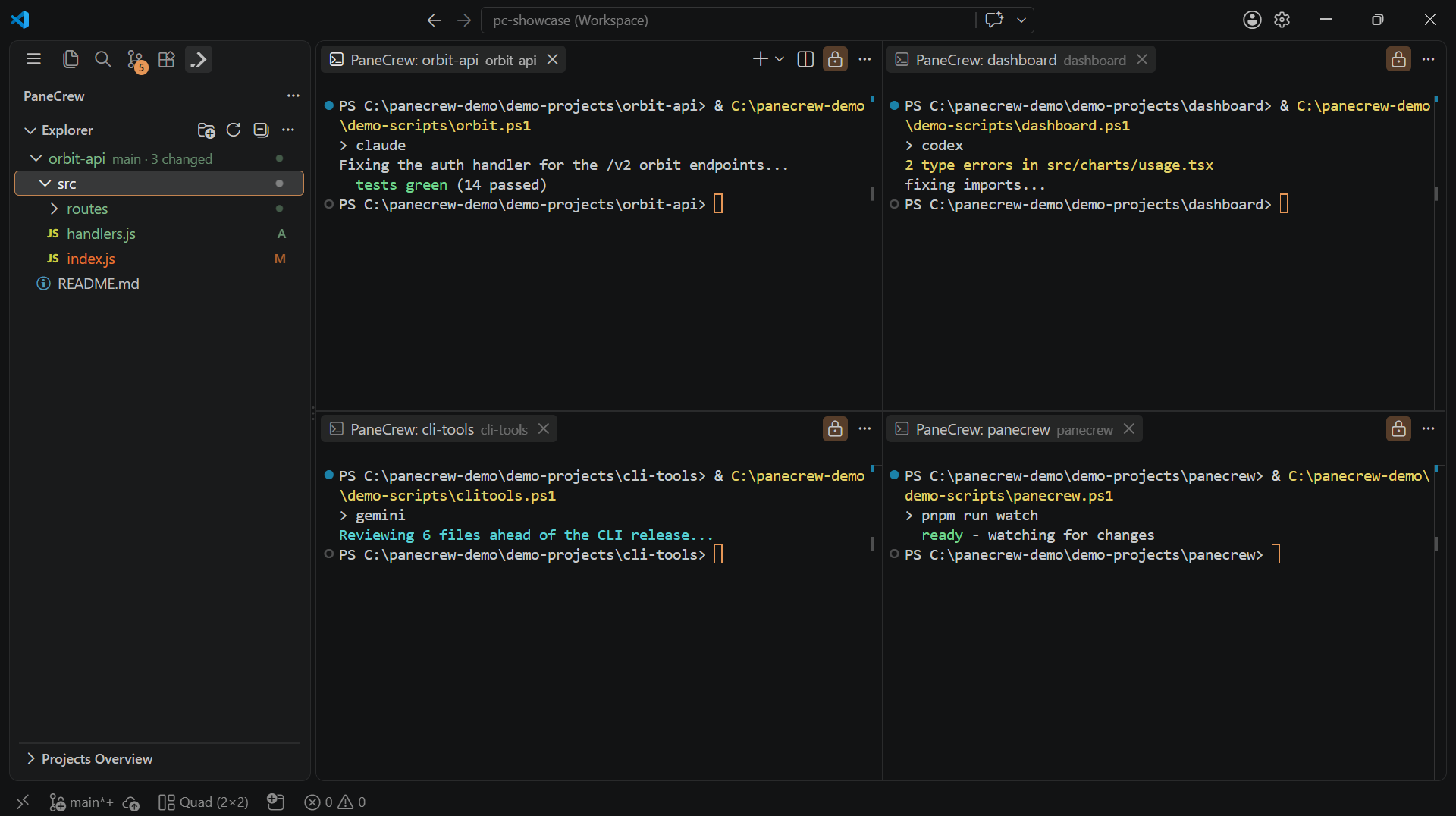
One window's worth of grid — open another VS Code window (⌘⇧N / Ctrl+Shift+N) for a second, fully independent one of these.
Windows vs. panes — why both
A pane is a terminal slot inside one grid, inside one VS Code window; a window is a separate one, with its own workspace and its own grid inside it. Most days, a single window's grid (2×2 by default, and configurable) covers a full working set. Multiple windows are for the days it doesn't — a second monitor, a completely unrelated project you don't want mixed into today's workspace, or simply more going on than one grid's worth. Within one pane, you can still open several terminal tabs — VS Code's own tab model — for closely related work: windows, panes, and tabs each solve a different layer of "I have more than one thing running," none of them hidden behind the others.
Frequently asked questions
How do I open multiple terminal windows?
Press ⌘⇧N (macOS) or Ctrl+Shift+N (Windows/Linux) — VS Code's own New Window command — to open another, fully independent window. Add folders and a PaneCrew grid to it, and it's a completely separate grid, workspace, and terminal set from your first window.
How do I manage multiple terminal windows without losing track of them?
VS Code itself reopens each window's last workspace across a restart, and PaneCrew's own session persistence restores that window's grid layout and pane-to-folder assignments on top of it, so you pick up each window exactly where you left it.
Do I need tmux to run multiple terminal windows?
No — tmux splits a single terminal into panes you still navigate one at a time. PaneCrew windows are real, separate VS Code windows you can place side by side or across monitors, each already showing a full grid of simultaneously visible panes.
Can I open multiple terminal windows on macOS?
Yes — PaneCrew is a free, open-source (MIT) VS Code extension, so it works on any OS VS Code runs on, macOS included. VS Code's own New Window command (⌘⇧N / Ctrl+Shift+N) opens as many independent windows as you need.
PaneCrew is a free, open-source (MIT) VS Code extension — a grid of real terminal panes across a multi-root workspace, with a focus-following file explorer, in as many independent VS Code windows as you need.
Get PaneCrew