VS Code extensionany OS VS Code runs onterminal-native

A pane for every agent.

PaneCrew puts your parallel CLI sessions — Claude Code, Codex, Gemini, GitHub Copilot CLI, OpenCode, plain shells — into one grid of real terminals across a multi-root VS Code workspace, with a single explorer that follows your focus around. Working on another project? Add another folder to the workspace — its own pane, its own project, gridded right alongside the rest.

Now on the VS Code Marketplace.

meet the crew

One extension. Four crew members.

Four cards, four real screenshots — everything below is something a standard VS Code install doesn't do out of the box. (We cut the cards that were really just VS Code's own git decorations, themes, or command palette wearing a PaneCrew label.)

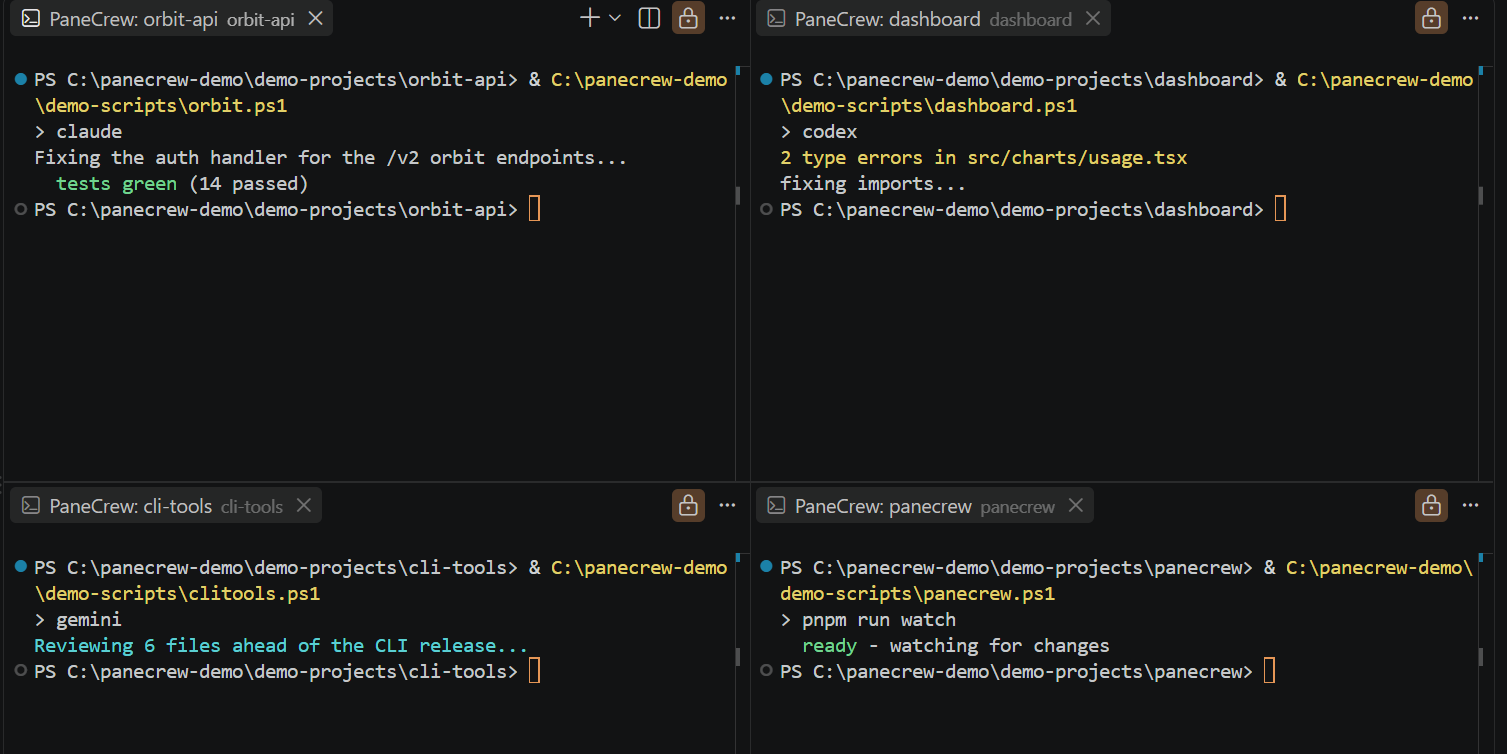
A 2x2 grid of four real VS Code terminals — Claude Code, Codex, Gemini CLI, and a pnpm watch — each running in its own workspace folder

Grid

up to 4 panesreal PTY

Up to four real, PTY-backed terminals side by side across different workspace folders — all visible at once, arranged via VS Code's own editor-group layout. A grid, not a tab switcher: no alt-tabbing between agent sessions to see which one is stuck waiting on you.

And it's not stuck at one shape — click the layout item in the status bar to switch between seven templates:

SingleSplitRow of 3Row of 4Two over oneOne over twoQuad
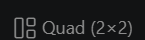
PaneCrew's status bar showing the current grid layout, 'Quad (2×2)' — click it to switch to any of the other sixRunning multiple agent sessions at once →How many sessions should you run? →
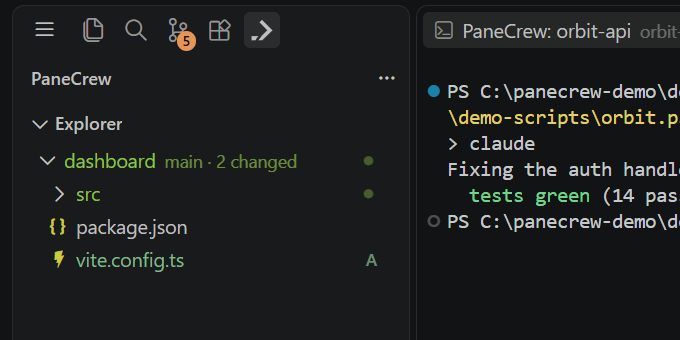
The PaneCrew explorer in the activity bar switched to show the dashboard project's file tree, because the dashboard terminal pane is the one currently focused

Sidekick

follows focus

One PaneCrew explorer for the whole grid, docked in the activity bar. Click into a different pane and the tree underneath swaps to that pane's project on its own — no manual "reveal in explorer," no second click. This is the one thing we couldn't find anywhere else in VS Code itself: a multi-root workspace's built-in Explorer shows every folder stacked at once, not one folder that tracks whichever terminal has focus.

Running several agents on one repo? →
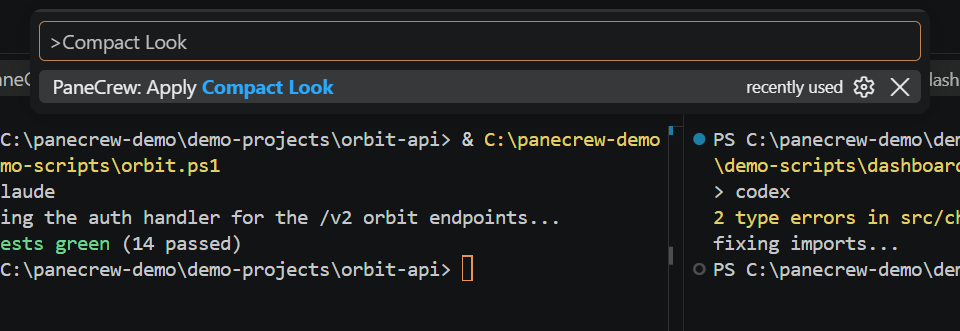
The VS Code command palette open on 'PaneCrew: Apply Compact Look', which hides the status bar and minimap to make room for more panes

Dial

compact look

PaneCrew: Apply Compact Look hides the status bar and minimap in one command — chrome you don't need when four panes are already fighting for screen space — while leaving the activity bar (and PaneCrew's own icon in it) visible. One command, not five separate settings toggles.

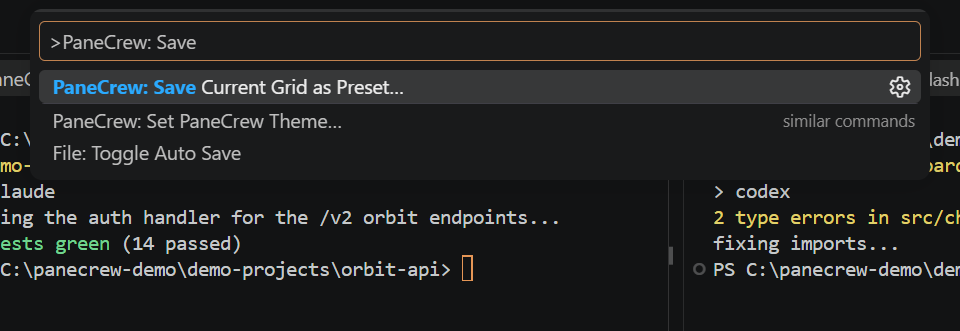
The VS Code command palette open on 'PaneCrew: Save Current Grid as Preset...'

Preset

named layouts

Save the current grid — which folders, in which slots — as a named preset from the command palette, and load it again in any workspace later. Set up a "backend + frontend + tests" layout once, reuse it on the next repo instead of rebuilding it by hand.

Working across more windows and projects →

crew-agnostic

Any CLI is crew.

No adapters, no integrations, no favourites — every pane is a real terminal.

Claude CodecodexGemini CLIGitHub Copilot CLIOpenCodezshbashfishPowerShellnushellsshvimgithtopcargopnpm

$ if it runs in a terminal, it runs in PaneCrew

look closer

Don't take our word for it.

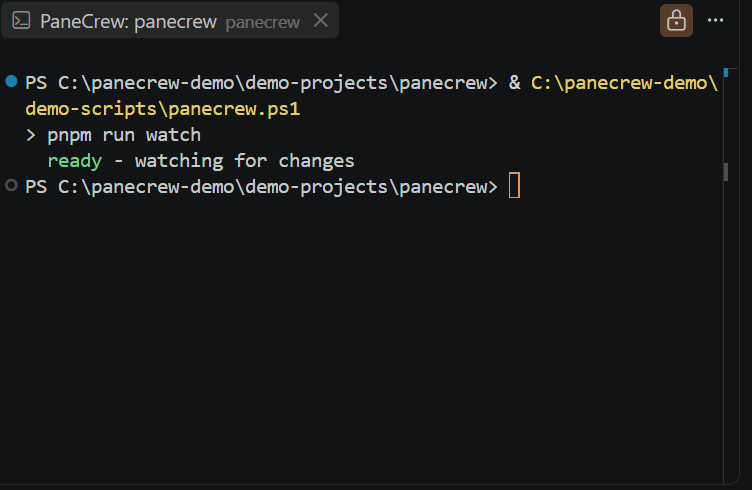
A real PaneCrew terminal pane titled 'PaneCrew: panecrew' running pnpm run watch on the extension's own source — PaneCrew being developed inside PaneCrew

Built inside itself.

PaneCrew is developed in PaneCrew — a grid of agents building the extension they run inside, every day. Rough edges don't survive that arrangement for long.

No git magic, either: panes just cd into folders you already have checked out. Your repos stay yours.

mit licensed

We open source.

PaneCrew is MIT-licensed — the grid, the explorer, the git decorations, all of it. No open-core split, no asterisks.

MIT

one license

One permissive license for the whole app. Fork it, ship it, build on it — the license won't get in your way.

On GitHub

roadmap

Planning, decisions, and issues live in the open repo, not a private roadmap doc. Contributions are pull requests, not a walled-off review queue.

In the open

public now

The source is public today. No star counts to show off yet — just an extension that's dogfooded daily and decisions kept on the record.

shipping

Install it into VS Code.

Search "PaneCrew" in the Extensions view (⌘⇧X / Ctrl+Shift+X), or install straight from the command line.

Get it on the Marketplace$ ext install silvio-lindstedt.panecrew