Guide
How to Prevent Multiple Coding Agents From Editing the Same Files
The reliable fix is giving each agent its own working directory — separate project folders for unrelated work, or a Git worktree per agent when several need the same repository at once. PaneCrew doesn't intervene at the Git level itself, but its one-project-per-pane grid and focus-following explorer make it obvious which agent is touching which project, so an accidental overlap gets caught immediately instead of surfacing later as a broken merge.
Why two agents in one folder is risky
Two coding agents pointed at the same working directory can both read a file, both decide to change it, and both write — whichever one saves last silently wins, with no warning that the other agent's edit ever existed. This isn't specific to any one agent; it's a consequence of running more than one process against the same files with no coordination between them.
The real fix: separate directories, or worktrees for one repo
For agents on different projects, the fix is trivial: give each one its own folder, and the conflict can't happen — they're never touching the same files. For agents that need to work in the same repository at once, Git worktrees are the actual repo-level answer: each worktree checks out its own branch into its own directory while sharing one `.git` history, so two agents editing "the same repo" are still writing to physically separate folders.
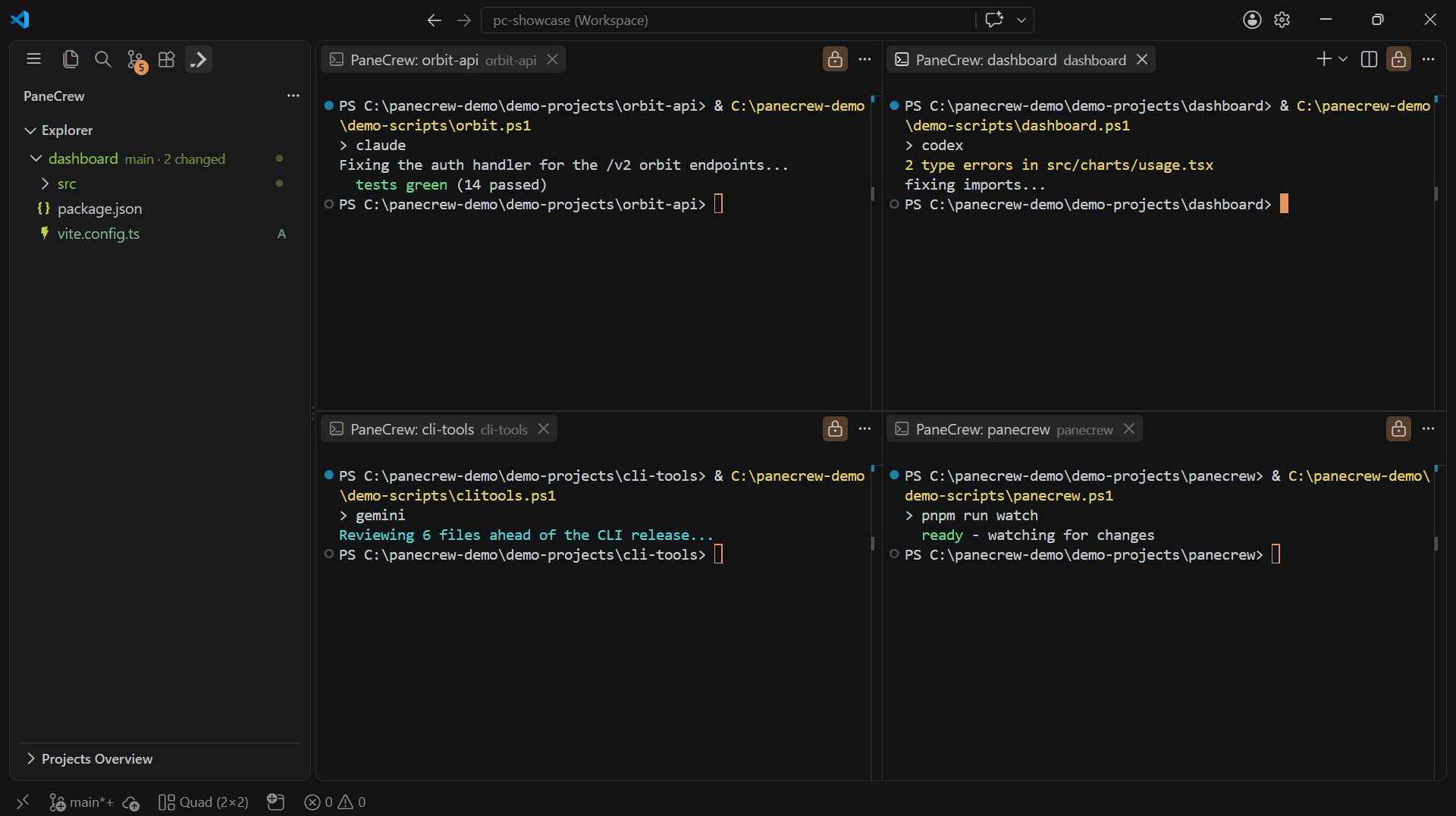
Whichever pane has focus, the explorer says so — an agent editing an unexpected project is visible immediately, not just in a later diff.
What PaneCrew actually does — and doesn't
PaneCrew doesn't create worktrees or lock files at the Git level — that would mean guessing at intent it doesn't have visibility into. What it does do is make the human side of this manageable: every pane hosts exactly one project, every pane stays visible at once instead of hiding behind a tab, and the file explorer automatically follows whichever pane has focus. If an agent in one pane is working in a folder that's also open (or worktreed) elsewhere, that's visible at a glance, not something you find out about after the fact.
Frequently asked questions
How do I stop multiple coding agents from editing the same files?
Give each agent its own working directory. If they're on unrelated projects, that just means separate project folders. If several agents need to work in the same repository at once, Git worktrees give each one its own checked-out branch and folder while sharing the same repo history — so their changes never physically land on the same files at the same time.
Does PaneCrew prevent file conflicts between agents?
Not at the Git level — PaneCrew doesn't lock files or intervene in what an agent writes. What it does do: each pane hosts exactly one project, all panes stay simultaneously visible, and the file explorer follows whichever pane has focus — so it's always obvious which agent is touching which project, and accidental overlap gets caught immediately instead of discovered later in a diff.
Are Git worktrees the right answer when agents share one repo?
Yes, for same-repo work specifically — worktrees are Git's own mechanism for checking out multiple branches from one repository into separate folders, so two agents editing the same repo never write to the same working directory. PaneCrew recognizes an already-created worktree folder and shows it like any other project, but it doesn't create or manage worktrees itself.
Not sure how many agent sessions to run at once in the first place? See how many Claude Code sessions to run at once. Just getting started running several sessions in parallel? Start with how to run multiple CLI coding agent sessions at once.
PaneCrew is a free, open-source (MIT) VS Code extension — a grid of real terminal panes across a multi-root workspace, with a focus-following file explorer.
Get PaneCrew