Guide
How Many Claude Code Sessions Should You Run at Once?
Most people find real value in three to four simultaneously visible Claude Code sessions — past that, the effort of tracking what each one is doing usually costs more than the extra parallelism gives back. PaneCrew's grid tops out at four panes for exactly that reason, with a file explorer that follows whichever pane has focus so tracking four sessions stays manageable instead of becoming its own task.
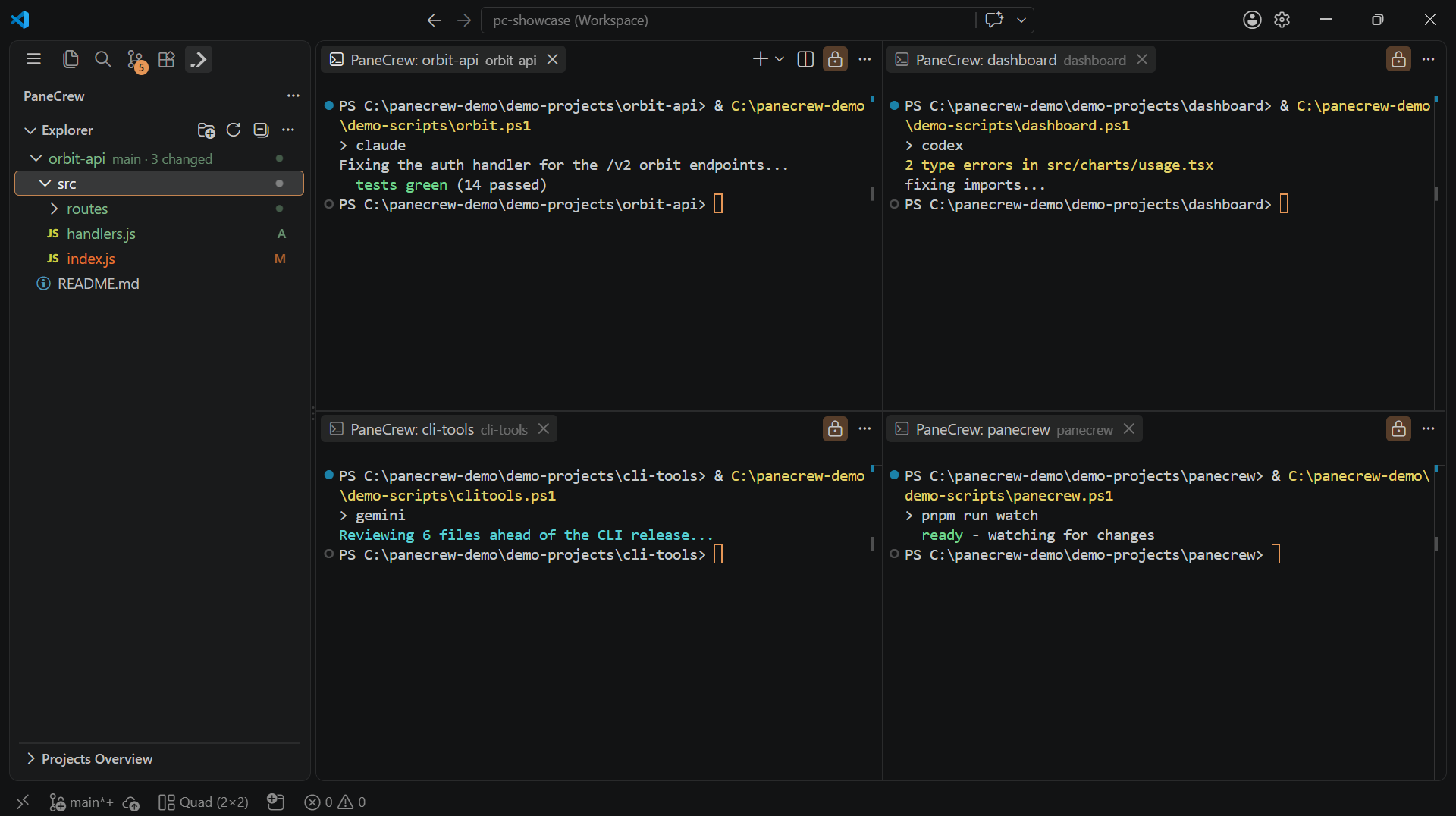
Four panes, all genuinely trackable at a glance — the grid PaneCrew ships is capped here on purpose.
The honest answer, not "it depends"
Three to four is the number that holds up in practice. One or two sessions barely tax your attention — you can hold both in your head without effort. At three or four, you're still able to glance across all of them and know what each is doing. Past four, most people stop actually watching every session and start missing the moment one finishes or needs input — the parallelism is technically still there, but you're no longer getting the benefit of it.
Why the ceiling is about attention, not the tool
Claude Code itself doesn't cap how many instances you can run — the ceiling is human, not technical. What actually limits how many sessions are worth running at once is how many you can keep genuinely visible and track without switching tabs or windows to check on them. That's the problem PaneCrew's grid is built around: a cap of four panes — arranged in whichever of its layouts fits the moment, from a 2×2 quad to a row of four — that matches the practical number people find manageable, instead of an unbounded list that looks impressive but nobody can actually watch.
Making four sessions actually manageable
Running four sessions is only useful if you can tell at a glance which one needs you. PaneCrew keeps all four panes on screen simultaneously — nothing hidden behind a tab — and its file explorer automatically follows whichever pane currently has focus, so switching attention between sessions never means re-navigating to the right project first. Need to look after a fifth or sixth session without crowding the grid? Open a second window instead.
Frequently asked questions
How many Claude Code sessions should I run at once?
Most people get real, sustained value out of three to four simultaneously visible Claude Code sessions. Past that, the cost of context-switching between them — remembering what each one is doing, catching the moment one needs input — starts to outweigh the parallelism you're gaining. That's a practical ceiling, not a technical one: Claude Code itself has no limit on how many instances you can run.
Why does PaneCrew's grid top out at four panes?
It's not a coincidence — four is roughly where simultaneous visibility stops paying off for most people, so PaneCrew caps its grid at four panes (arranged as a 2×2 quad, a row of four, or one of several other layouts you switch between from the status bar) instead of offering an unbounded grid nobody could actually track at a glance.
Can I run more than four Claude Code sessions at once?
Yes — open a second VS Code window with its own workspace and grid, so you're never limited to one window's worth of sessions. Most people still find they only actively watch three to four sessions at a time even when more are running in the background.
Running sessions across more than one grid? See how to open multiple terminal windows at once for spreading work across several independent PaneCrew windows. Just getting started running several sessions in parallel? Start with how to run multiple CLI coding agent sessions at once. Running several agents against the same repo? See how to prevent multiple coding agents from editing the same files.
PaneCrew is a free, open-source (MIT) VS Code extension — a grid of real terminal panes across a multi-root workspace, with a focus-following file explorer.
Get PaneCrew