Focus-following explorer
PaneCrew shows one explorer, in its own activity-bar container, for the whole grid — not one per pane. That explorer always displays the project tree of whichever pane currently has focus — switch to a different terminal or editor tab, and the explorer switches with it, automatically.
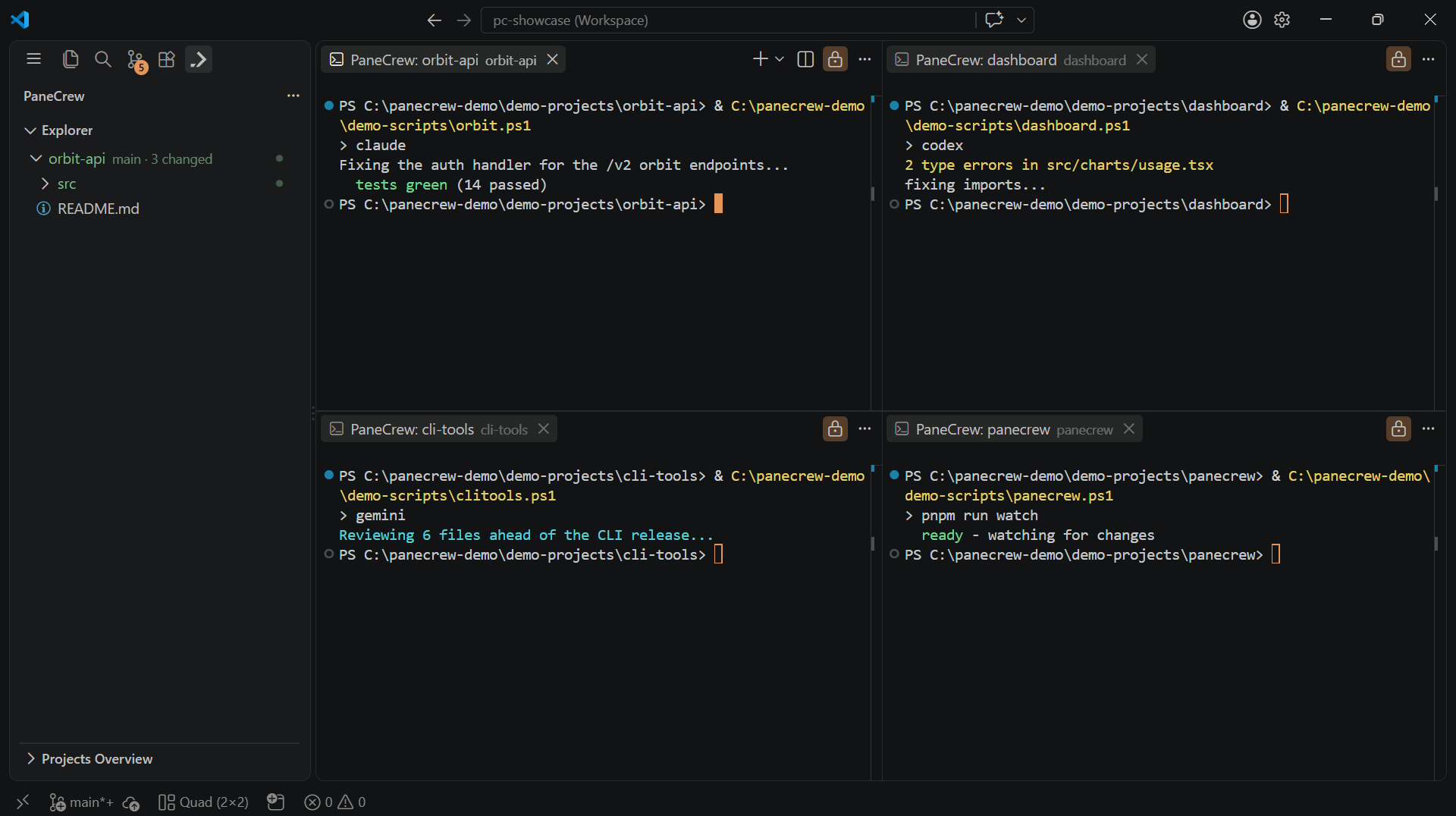
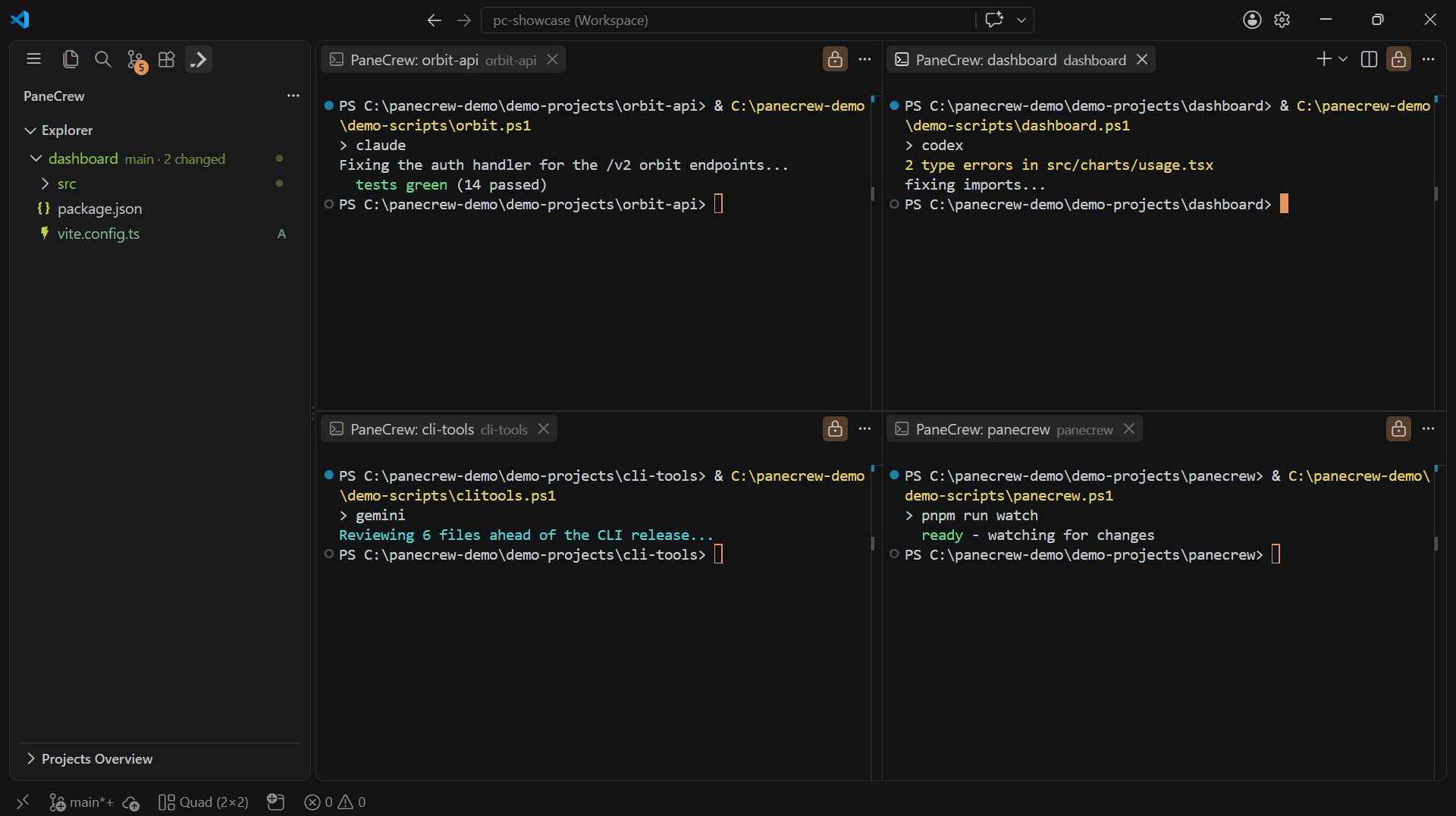
Same explorer, same click — just a different pane focused. No manual re-selection in between.
Why this exists
Running several real projects side by side only works if you can always tell, at a glance, which files belong to which terminal. Multi-root workspaces in typical editors either stack every open project's files into one long tree, or keep a single fixed explorer that doesn't know which of several open terminals you're currently looking at — you end up scrolling or manually re-selecting a folder to line the explorer back up with the pane you're actually working in. PaneCrew removes that step entirely: the explorer's context is derived from pane focus, not from a separate selection you have to maintain yourself.
What "focus" means here
A pane gets focus the same way any VS Code terminal or editor tab does — click into it, or move focus to it with a keyboard shortcut bound in your own keybindings.json(see the commands & settings reference). The moment a terminal or editor tab has focus, the explorer re-targets to that pane's workspace-folder root. Switching panes and switching the visible file tree are the same action, not two separate ones.
Why it's the core mechanic, not a bolt-on
This behavior is treated as PaneCrew's central differentiator rather than a secondary convenience feature. It's also a real, still-open gap in VS Code itself — the very editor PaneCrew runs inside — confirmed by a long-standing open issue in VS Code's own tracker (microsoft/vscode#71641) asking for exactly this. PaneCrew's explorer is a real TreeDataProvider-based extension view, not a workaround — it closes a gap VS Code's own built-in Explorer still doesn't.
What it doesn't do
The explorer doesn't merge or stack multiple projects' files together, and it doesn't run any hidden automation (no automatic git worktrees, no background branching) to make this work — panes simply point at workspace folders you already have checked out, and the explorer just follows which one is focused.